






// the platform
Three layers. On top of your whole stack.
Context, Governance, and Agentic Workflows — with 100 pre-wired integrations across Shopify and the apps merchants run on top.
Context
Every role on your team — merchandising, marketing, finance, ops, CX — gets Claude with brand voice, catalog knowledge, store strategy, and integration access loaded automatically.
Governance
Scoped access per group. Approval gates before anything writes to Shopify, Klaviyo, or your ad accounts. Immutable audit trail across every action.
Agentic Workflows
Fieldsets run merchant workflows on autopilot — product descriptions, FAQs, SEO meta, daily performance briefs — all gated by human approval before publishing to your store.
// HOW IT WORKS
One setup. Every role gets Claude that knows how you work.
Three things. That's the whole setup.
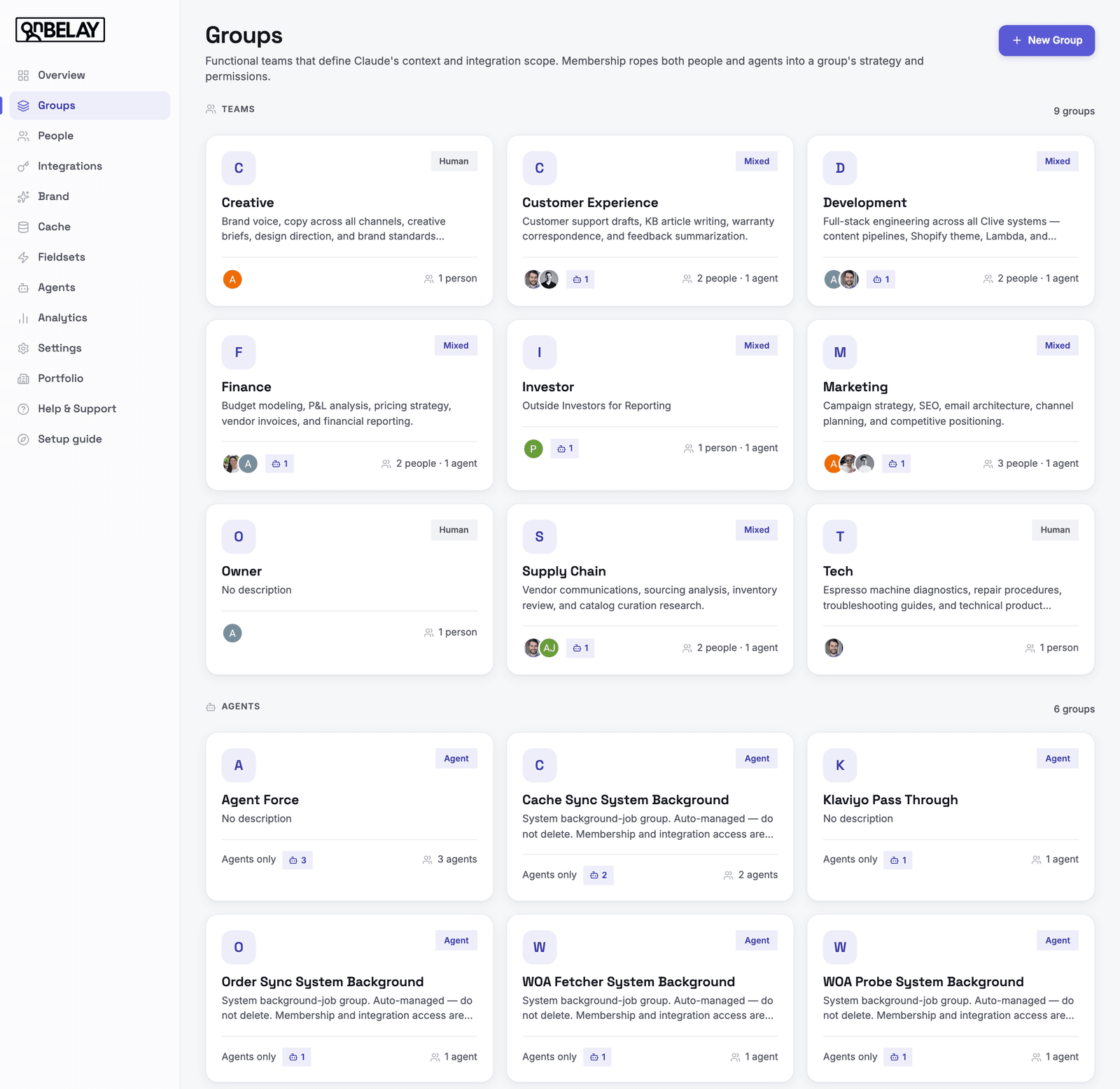
Create functional groups for your store — Merchandising, Marketing, Finance, Ops, CX, Owner. Write the Claude role once: how it should think, what it knows about your brand, how it sounds.
// fieldsets
Merchant agent workflows you can turn on today.
Pre-built for Shopify catalogs and storefronts. Brand-configurable. Gated by human approval before anything publishes.
Advertising Analyst
Account-level first-order ROAS, new-customer CAC, and the top moves to make on ad spend.
// human approval requiredProduct Optimizer
AI-powered product FAQs, SEO meta, and product descriptions for your Shopify store. Generate, review, and publish with one click.
// human approval requiredAI Visibility Engine
AI-researched blog posts, FAQs, and SEO meta generated from your real content gaps. Daily LLM visibility tracking included.
// human approval requiredWebsite Optimization Agent
Every Monday, see exactly which pages are bleeding revenue — and get a ranked action plan to fix them.
// human approval requiredCompetitive Intelligence
Track competitor inventory, velocity, and pricing on the SKUs you both sell. Daily head-to-head dashboard comparing your sales against competitor velocity.
// human approval requiredCustomer Analytics
Weekly cohort, retention, and LTV dashboards built from your Shopify and GA4 data. Trust your customer numbers like you trust your MRR — refreshed every Monday.
// human approval required// build your own
Bring your own agents. Governed by default.
Every agent your org runs — fieldsets, custom builds, one-off automations — lives in one place. Scoped with permissions, running on schedules, and fully visible across your organization. Coordination and token efficiency, built in.
01
Pick the output
Reporting · Analysis · Recommendations · Actions
02
Choose integrations
Shopify, Klaviyo, GA4 — anything your org has connected
03
Use AI suggestions
Pre-built agent templates ranked for your stack
04
Configure guardrails
Approval gates, service identity, output delivery
05
Deploy & schedule
Runs on autopilot. Logged. Visible to the whole org.
All agents in one place
Fieldsets and custom agents share one home. No shadow automations spinning up across teams.
Scoped with permissions
Every agent runs as a service identity tied to a group. It can only touch what that group can touch.
Running on schedules
Cron-based runs, event triggers, or on-demand. Approval gates pause anything that writes.
Visible to your org
Every run, every output, every token spent — surfaced in the activity feed. Coordinated, not duplicated.
// IN PRACTICE
A real Shopify merchant running On Belay.
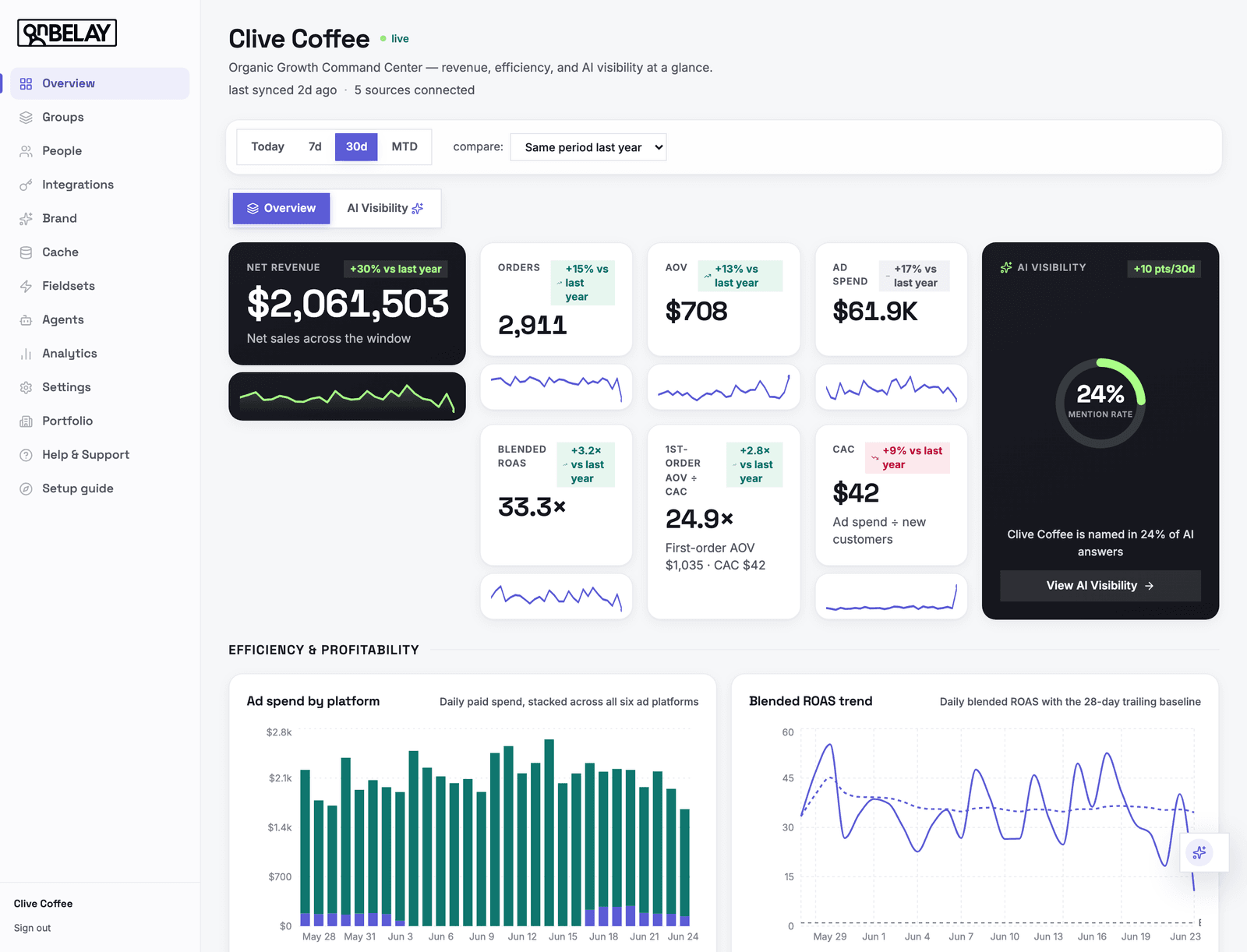
Clive Coffee — specialty espresso equipment on Shopify. Functional groups for every team, wired to the integrations they need. Every team member gets Claude that knows the catalog, the brand voice, and exactly what they're allowed to do.
// platform
Everything a Shopify-native Claude deployment needs.
Group-based context and permissions
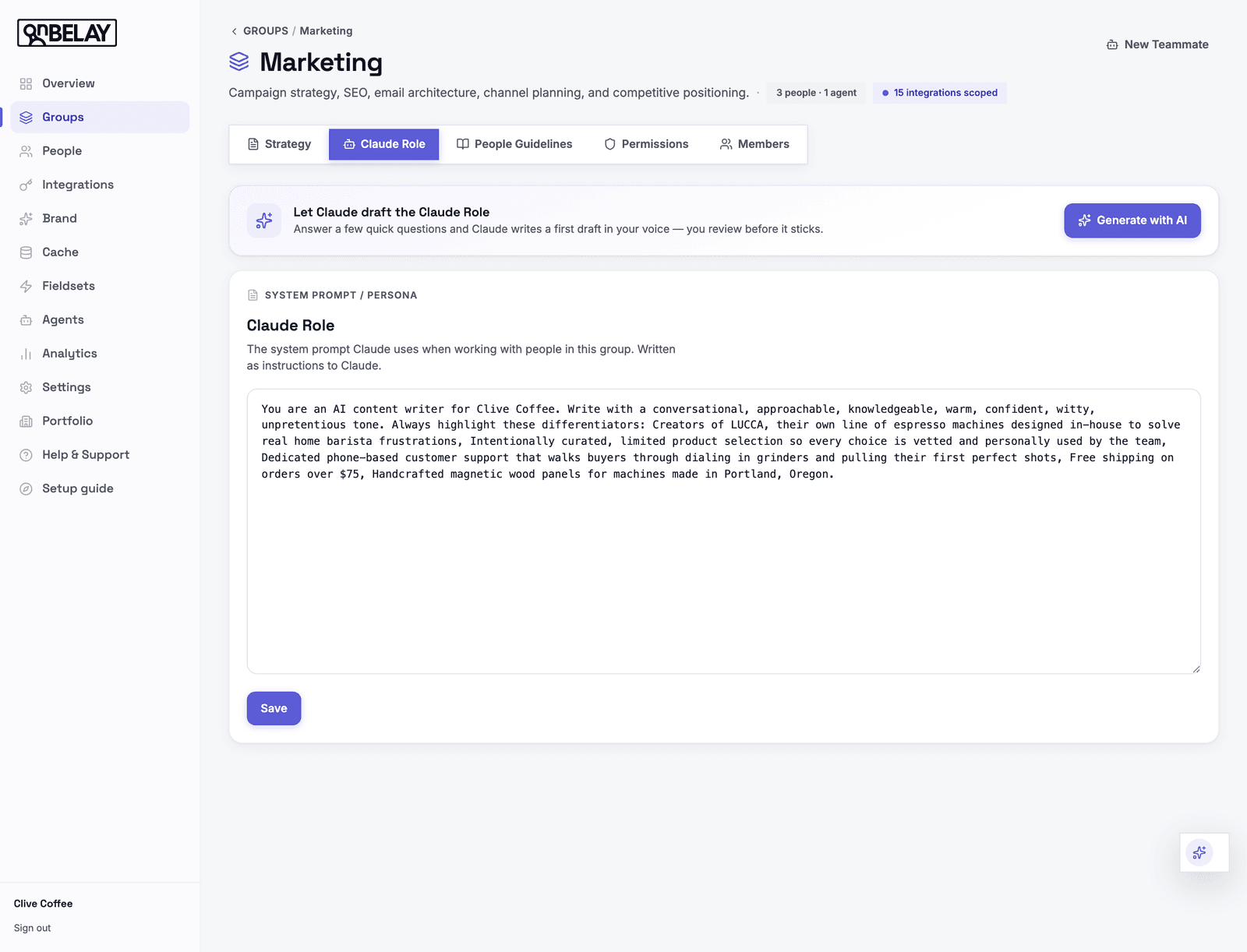
Define functional groups for your store — Merchandising, Marketing, Finance, Ops, CX, Owner. Each group carries its own Claude role, brand voice, store strategy, people guidelines, and integration scope.
Scoped Shopify and app access
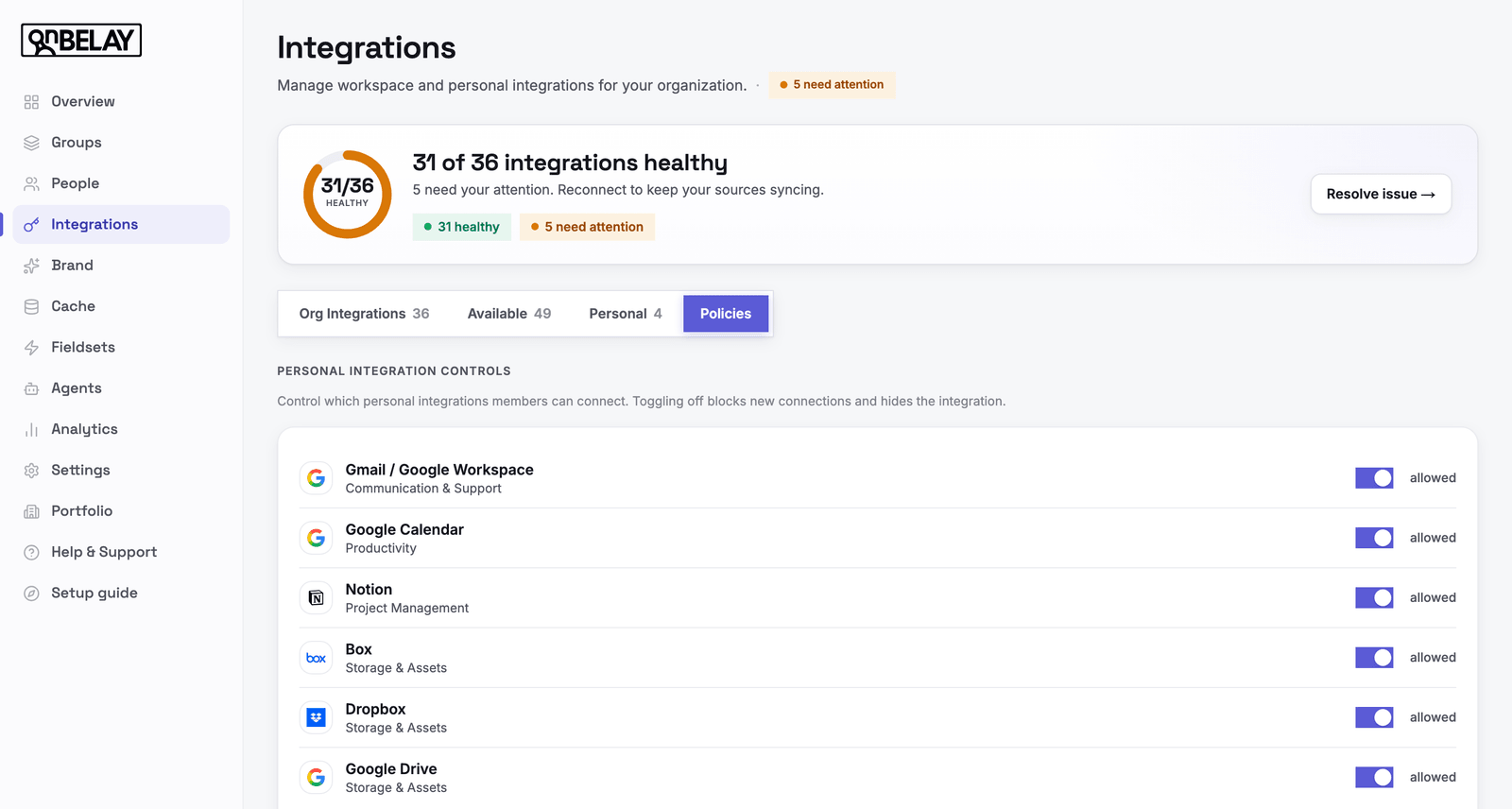
Owners connect Shopify, Klaviyo, Stripe, Meta Ads, ShipStation, and the rest of your stack with credentials stored encrypted. Each group sees only the apps and scopes it needs.
Approval requests and escalation
When a team member asks Claude for something outside their permissions, Claude submits a structured approval request to org owners — including risk level and a suggested permission change.
Marketing · Claude session
group: marketing
requested action
Publish 25 product description rewrites to Shopify
suggested permission change
Slack bot with full org context
Team members can interact with Claude via DM or @mention in any channel where the bot is present. Claude loads their full On Belay context and responds in-thread.
Jordan 9:14 AM
@On Belay what were our top 3 SKUs by revenue last week?
On Belaybot9:14 AM
Context loaded for marketing · Clive Coffee. Pulling from Shopify…
1 · Lelit Bianca V3 — $48,200
2 · Niche Zero — $31,640
3 · Acaia Lunar — $12,915
Built for Shopify. From day one.
On Belay works through MCP — Model Context Protocol — available in Claude Desktop and claude.ai. Catalog, orders, customers, apps — wired in once, governed forever.
1
setup: 1
6
fieldsets: 6
∞
agents: ∞
∞
sessions: ∞
// pricing
Two flat plans. Unlimited seats.
Every fieldset is included — no usage or per-publish charges.
Standard
$999/mo
- ✓ Unlimited seats
- ✓ Every functional group & role
- ✓ All 85+ integrations
- ✓ Every fieldset included
- ✓ 14-day free trial, no card
Managed
$1299/mo
- ✓ Everything in Standard
- ✓ We set up your integrations for you
- ✓ White-glove onboarding
- ✓ Unlimited seats
- ✓ Every fieldset included